
Note: Emergency contacts can also be managed as part of the checkout process. For more information on this, please view our full checkout guide.
Steps:
- Login to the Thrive4 MemberHub app or online portal
- In the left menu, head to Account > Contacts
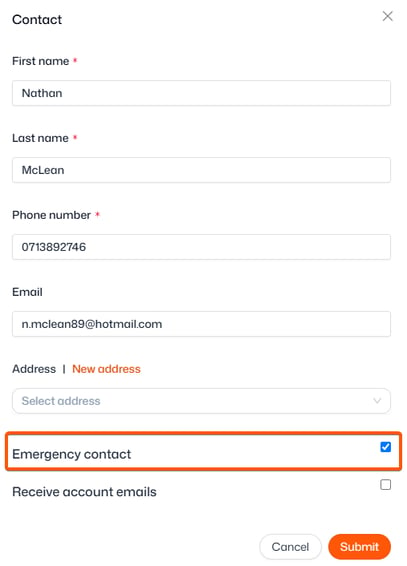
- Click ‘Add contact’ and provide the required details
- Select the ‘Emergency contact’ checkbox
- Click ‘Submit’
You can also assign existing contacts as emergency contacts by ticking the checkbox and re-submitting at any time.
From the Contacts page, you can also enable your friends/family to receive copies of emails. For more information on this, click here.