
Note: If you are using GoCardless or PayPal to collect your payments, you can process refunds directly through the system. For more information on this, click here.
Steps:
- Navigate to Sales admin > Invoices
- Alternatively, head to a contact record and into the ‘Finance’ tab
- Locate the relevant invoice
- Select the invoice and click the three dots on the right-hand side
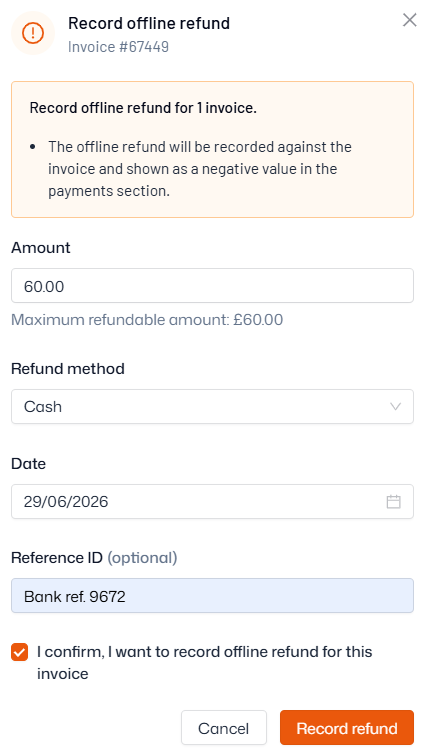
- Click ‘Refund’ > ‘Record offline refund’
- Select the amount refunded, the refund method, and the date it was refunded
- You can also enter a reference ID/note if you wish
- Click ‘Confirm’ to record the refund
Alternatively, you can raise a credit note, which will be used towards the account owner’s next invoice. For more information on credit notes see our help article here.