
Billing settings
Have you enabled automatic renewals?
- Navigate to Product management > Products
- Select the relevant product from the left sidebar
- Open ‘Billing and renewal’
- Ensure ‘Enable automatic renewal’ is ticked
- If not, tick it, and be sure to ‘Save’ your changes below
Is the attendee out of the age range?
If you have age restrictions on your products, contacts who no longer fit within them may not be removed – look for the setting below:

Is there a large gap in your schedule?
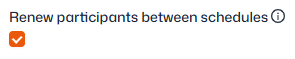
If a schedule has more than 4 weeks of sessions excluded (as excluded dates/calendar) you’ll need the following setting enabled to ensure renewals continue after the break:
Attendee moved or removed
Check with all administrators in your organisation to confirm whether the attendee was removed from the product at any stage; for example, they gave notice to leave but later changed their mind.
If they were removed and need to be renewed, the attendee can be added back to the product by following the steps here.
Has the schedule ended?
If the schedule isn’t recurring, it may have reached its end date, in which case attendees will need to be added into the next one (for example, after the summer holidays if you use termly blocks).
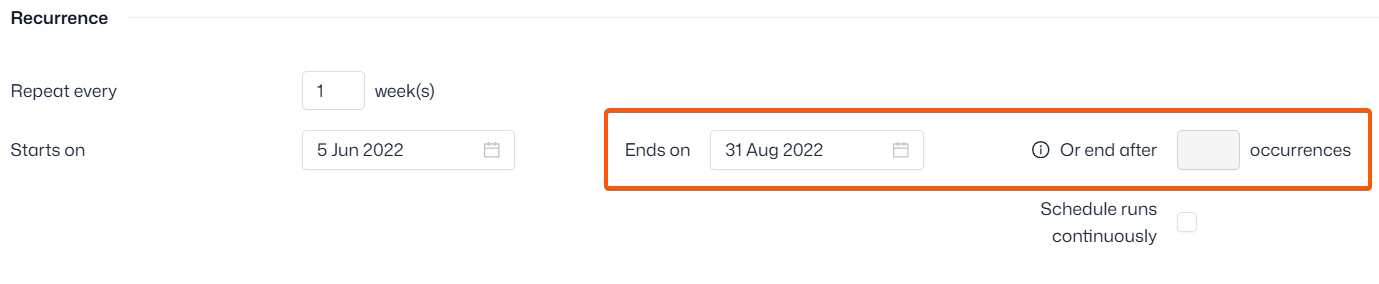
Navigate to Product management > Schedules and locate the schedule. Under ‘Recurrence’ check to see if the ‘Ends on’ date has been reached, or the number of set occurrences has passed.
If you can’t locate the schedule, click into the ‘Archived tab’ – schedules that have reached their end date are moved here automatically.