
Tip: Automatic email notifications can be set up to alert staff or customers when payments fail. For help managing your notifications, read our help article here.
Reasons for payment failures
The most common reasons payments fail are:
- Insufficient funds
- Invalid or closed bank account
- Direct debit mandate cancelled by the customer
- Banking errors or delays
Other failure reasons and how to resolve them are listed further down this article.
Important: When customers make payments through direct debit, they may sometimes notice that funds have been deducted from their bank account, even though the payment was reported as unsuccessful.
This can happen when a payment is in the process of being collected. During this time, the bank temporarily withdraws the amount from the customer's account. If the payment ultimately fails, the bank will reverse the transaction and refund the amount to the customer's account.
More information is available in our help article here.
Where to find failed payments
All payments are located in Sales admin > Payments, and can be filtered by status (Failed, Pending, Completed) using the tabs.

Click on the payment number to view more details about the payment failure. In some cases, you may be directed to your payment provider portal for more information on the failure. In other cases, the reason for the failure will be listed.
Important: By default, only failed payment attempts that require action are shown, not those relating to Pending or Reconciled invoices.
To see a full log of failed payment attempts, use the 'Show all failed payments' toggle in the top-right corner.
Retrying failed payments
In most cases, payments will be re-attempted automatically after 24 hours. If the first payment submission fails, this will be followed by two further attempts.
Automatic retries however will not occur in circumstances when a payment has manually been cancelled, for example a customer has cancelled their direct debit mandate. In these situations, a customer must attempt to make the payment again, with new payment details.
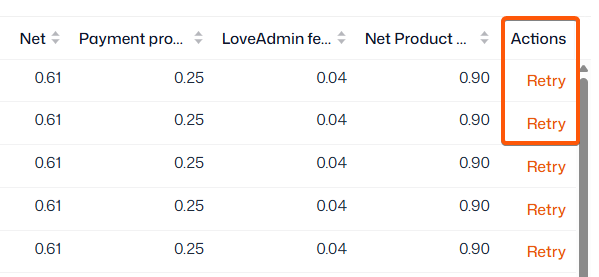
To manually retry a failed payment once all automatic attempts have stopped, click 'Retry' in the ‘Actions’ column within Sales admin > Payments.
Important: If you are a GoCardless customer you will be charged a surcharge for failed payments - this is only for their fees. Thrive4 platform transaction fees will be applied only when the payment is successful.
Failure messages
REFER_TO_PAYER
This failure message is returned for several reasons. One is that there was a connection error between banking systems, another is that the payment has been blocked by the bank or that there were insufficient funds in the account to make the payment. It is not possible to know exactly which reason was behind this error message.
The system will automatically retry the payment the following day, after the payment failure is recognised.
THE CUSTOMER ACCOUNT IS SUSPENDED
This failure message means the bank account is invalid, no longer exists, or is unable to process direct debits. In some cases the customer may need to contact their bank directly for assistance, but usually this is caused by incorrect details being provided for the direct debit mandate.
Your contacts can clear an incorrect direct debit mandate and set up a new one within Account > Settings > Payment Settings in the Thrive4 app or online portal.
INSTRUCTION CANCELLED / NO INSTRUCTION
This means the direct debit mandate has been cleared by the customer, and they will need to set up a new one within Account > Settings > Payment Settings in the Thrive4 app or online portal.
PAYMENT_EXCEEDS_LIMIT_OF_PAYMENT_AMOUNT. MAXIMUM VALUE IS...
This error occurs when the payment amount exceeds the maximum limit set by London & Zurich. The maximum limit is determined based on your business risk assessments.
The limit may per-member-per-month, or per transaction. For example,
- If L&Z has set a monthly collection limit of £200 per member, and a member receives three invoices of £100 in the same month, the third collection will fail because the total exceeds the monthly limit
- If L&Z has set a maximum single collection limit of £200, then any individual invoice above that amount, such as £250, will fail when submitted for collection
If you encounter this error, contact the London & Zurich team directly at customer.services@landz.co.uk to discuss your limits and merchant account further.
NO INSTRUCTION
This means the direct debit mandate has expired. This will typically be the case if there have been no collections from the direct debit mandate in the last 13 months. The customer will need to set up a new one within Account > Settings > Payment Settings in the Thrive4 app or online portal.
INSTRUMENT_DECLINED
This means incorrect card details were entered by the customer, who will need to double check their details and retry.
Scheme Not Supported Yet
This error only affects GoCardless payments. It means the customers bank account cannot process direct debit payments through the regional banking scheme being used for the transaction, such as Bacs, SEPA, or ACH. This can occur, for example, if the payer is using an overseas bank account that is not supported.
To find out how to resolve this payment failure, please refer to the GoCardless Help Centre.