
Steps:
- Navigate to Contact management > Contacts
- In the left sidebar, select the product(s) you wish to view
The Contacts page will then display all members associated with the selected product. You can check the boxes next to multiple contact names to perform bulk actions or click on an individual contact's name to access their detailed contact record and carry out contact-specific actions.
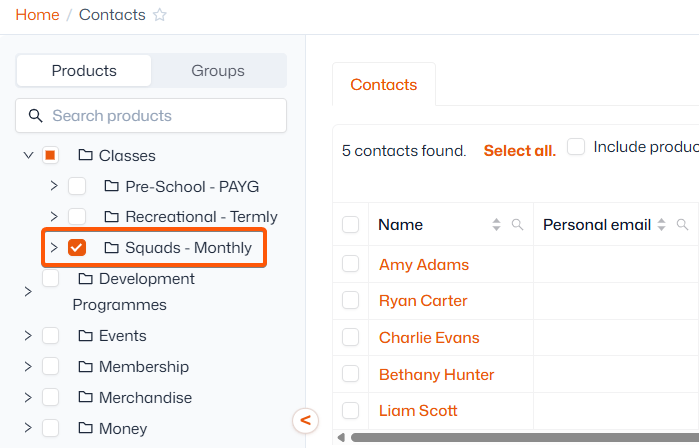
You can further filter the contacts list by using the checkboxes located at the top of the page after selecting a product. This allows you to specify whether you want to view:
- ‘Product users’ - all contacts associated with the product, whether they are current attendees/purchasers, have been invited or manually added to the product.
- ‘Purchasers’ - any contacts that have previously purchased this product (even if they have been removed and/or are no longer attending)
- ‘Current attendees’ - any contacts that have attended a session or been on a membership during the last month, or have a scheduled order for the next month
- ‘Invitees’ - any contacts that have been invited to book onto the product