Steps:
- Search for the contact and click their name
- Click ‘Actions’ in the top-left corner, then ‘Add note’
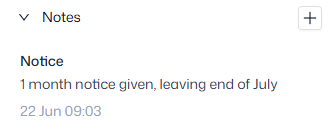
- Alternatively, click the plus sign under ‘Notes’ in the right sidebar
- Provide a subject line and the body of your note and click ‘Save’
- Your note will show in the top-right corner of their Contact record, with a timestamp