Steps:
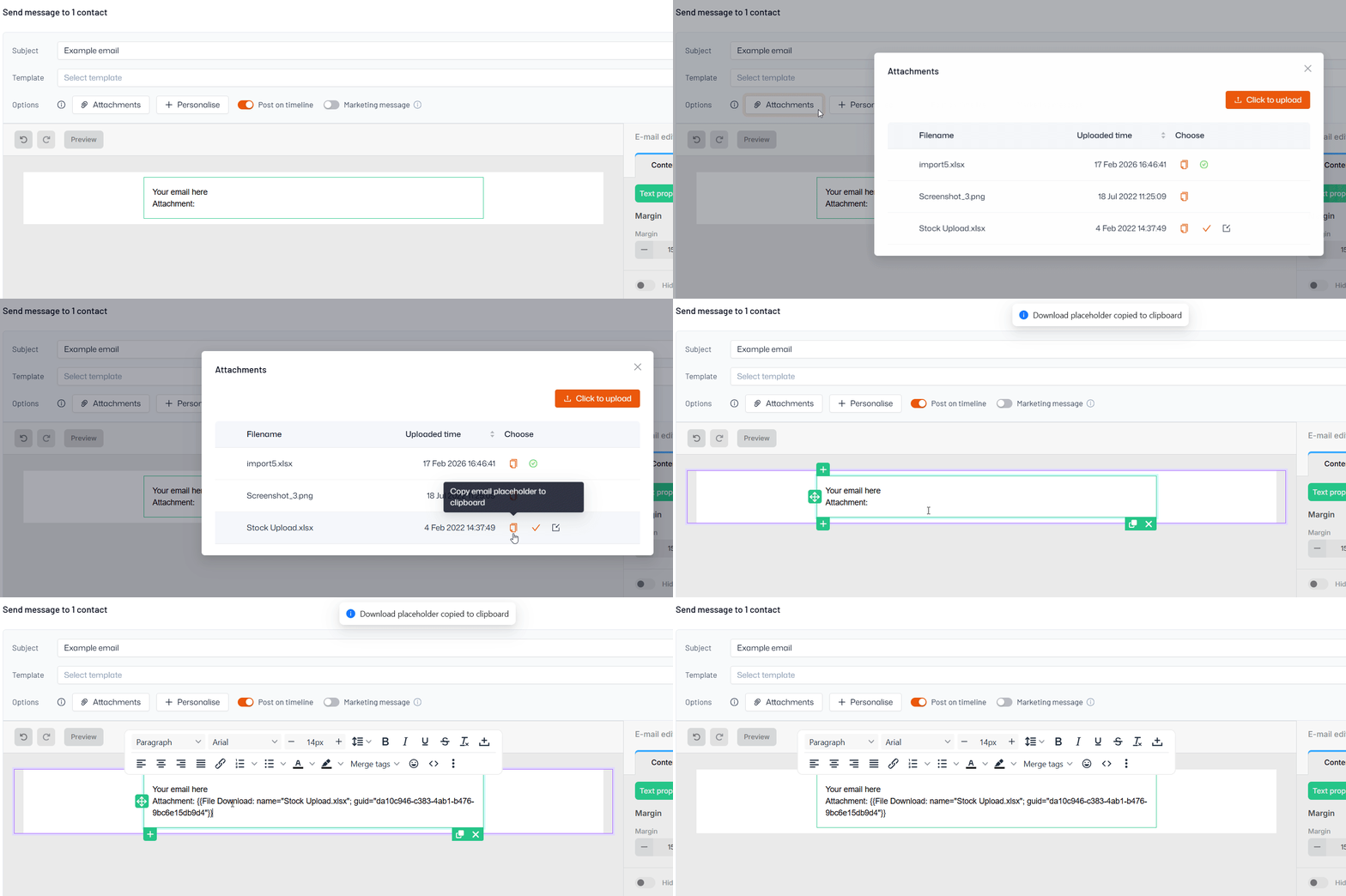
- Start composing an email or editing an email template
- Click ‘Choose attachment’ to select an existing file or upload a new one
- Copy the link by clicking the icon in the ‘Choose’ column
- Paste the link wherever you would like the file inserted in your email