
What is an offline contact?
An offline contact is a member of your organisation who will not be using the Thrive4 MemberHub or any of our online features. They will be unable to receive emails sent via the system or make payments online
Offline contacts are still linked to your organisation and will have a record in your database. They can be included in products, which allows them to take a spot in your registers and receive invoices. However, any payments for offline contacts must be processed outside of the platform. These can be marked as paid offline.
Note: Contacts that need to pay offline can still do so with a standard account, and do not need to be an offline contact.
When might you need to add an offline contact?
An offline contact serves only as a record within the system, enabling you to store essential personal information about a member, such as their address and date of birth, without requiring an email address.
For this reason, if a member does not have an email address, it may be necessary to add them as an offline contact.
Note: Once a contact is added as offline, they cannot later become a standard contact and will need to create a new account if they wish to use online features in the future.
If you are unsure on whether to add a contact as offline, or not, please reach out to our support team at help@thrive4.com
How to add an offline contact:
- Navigate to Contact management > Contacts
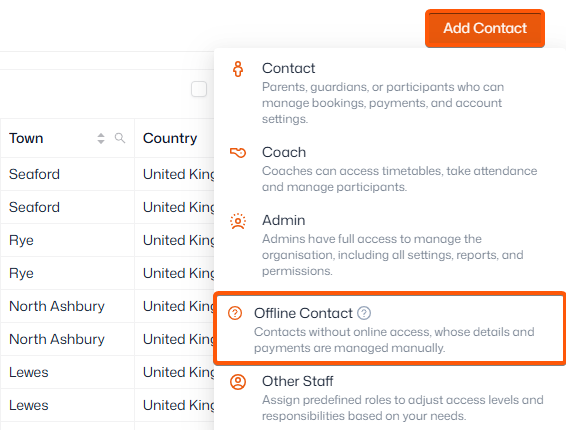
- Click ‘Add contact’ in the top-right corner
- Choose ‘Offline contact’
- Add their details, leaving the ‘Email field’ empty
- Click ‘Create’
Important: By adding offline contacts, your organisation owns the data that belongs to that person. Therefore your organisation is responsible for how this data processed and controlled thereafter.
Your organisation must abide by GDPR laws on how the person's data is processed, controlled and ultimately removed.