
Note: You cannot edit medical information, emergency contacts, or consent responses. Your members can update any of their own information from their Thrive4 member account. More information is available for users here.
Steps:
- Search for the contact and click their name
- Click on the pen icons under 'Details' to make changes
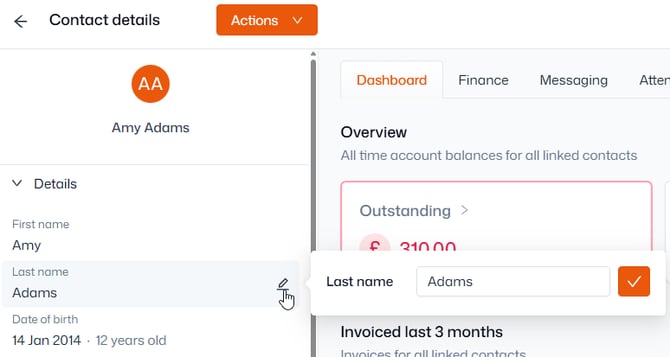
If you cannot see the pen icon, the contact has not provided permission for your organisation to make changes to their information. Users can update their permissions from the member portal, within Account > Settings > Personal Information.