
Note: Once an order converts into an invoice on the payable date, you will only be able to add credit to the invoice, to reduce the amount that is due. For credits guidance, click here.
There may be occasions when you want to adjust the payable amount of an order before it is converted into an invoice for your customer to pay. For example:
- You want to discount an order payment for a customer
- You want to pause auto-renewing payments for a customer and set the order amount to £0.00, with the intention of re-instating the full amount later
Steps:
- Navigate to Sales admin > Orders
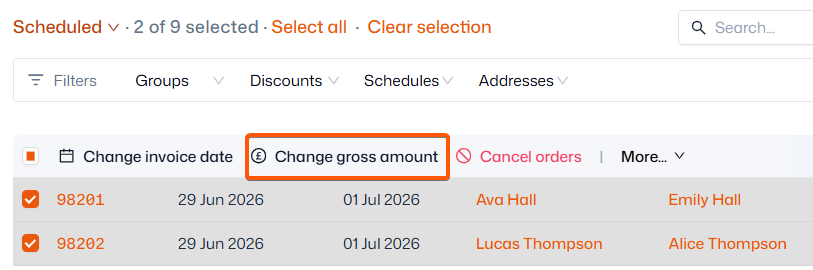
- Click ‘Change gross amount’ and update it to £0
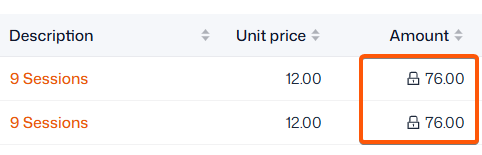
- If the amended price needs to be in place for 2+ months, select ‘Lock price for renewals’ so future orders will stay at £0 until put back to the regular price (same steps)
- Select the order(s)
You can identify locked-in prices by the padlock icon displayed next to them.
Tip: Making products require admin approval is an easy way to review someone's order amount, and their registration details, before you raise their invoice for payment.
For help with setting up your product billing preferences, click here.