Note: The steps below apply only to pay-as-you-go, or paid-termly classes.
If you’re looking to offer trials for a pay-monthly class, this requires a different setup. Check out our full guide here.
Setting up your trial limits
- Navigate to Product management > Products
- Select the class for which you would like to offer trials
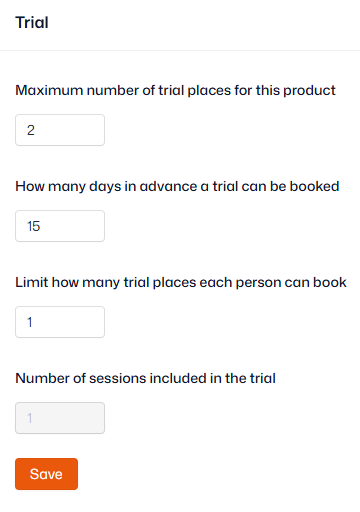
- Scroll down and open ‘Trial’ and set the following limits:
- ‘Maximum number of trial places for this product’ – how many trialists can attend any one session of this class
- ‘How many days in advance a trial can be booked’ – how far in advance the trial option appears in your shop
- ‘Limit how many trial places each person can book’ – how many trials for this class a person can have
- Number of sessions included in the trial
Important: 'How many days in advance a trial can be booked' overrides the trial setting 'Days before sessions appear in the shop'.
Adding your trial price
Single-session trials
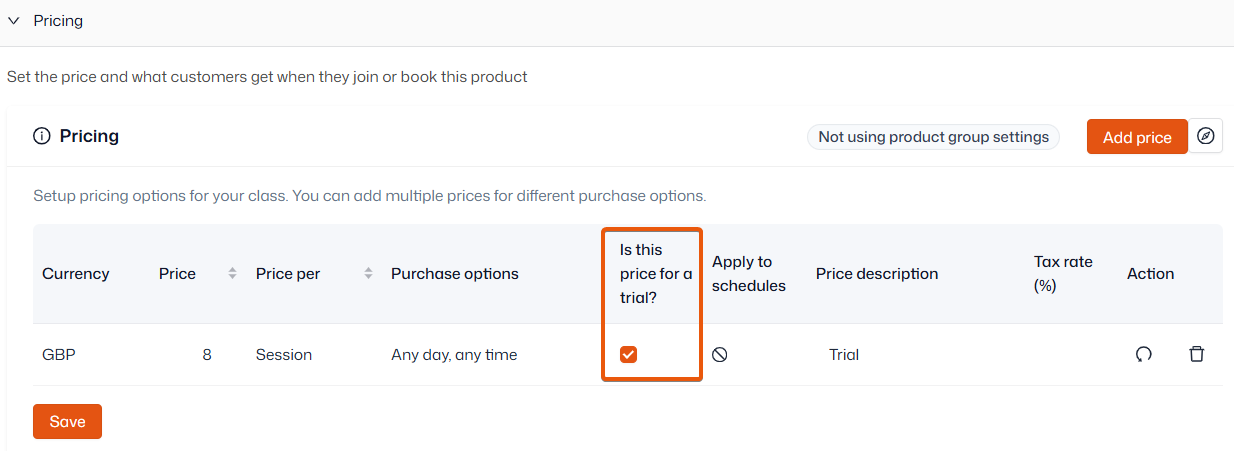
- In the product’s settings, open ‘Pricing’
- Click ‘Add price’ to add your trial price alongside the regular price
- Ensure the price is per Session or Hour
- Use the Purchase option ‘Any day, Any time’
- Tick the ‘Is this price for a trial?’ checkbox
- Click ‘Save’
Multiple-session trials
- In the product’s settings, open ‘Pricing’
- Click ‘Add price’ to add your trial price alongside the regular price
- Ensure the price is per Session or Hour
- Use the Purchase option ‘Any day, Any time’ if you'd like the customer to choose any sessions available
- Use the Purchase option 'Same day of week, same time' to make the customer book consecutive sessions for the trial
- Tick the ‘Is this price for a trial?’ checkbox
- Click ‘Save’
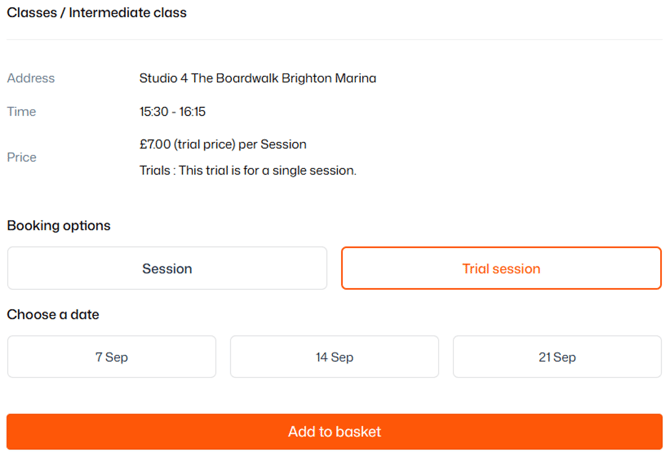
The trial price and regular price will display alongside each other in your shop.