
This report can be found in Reporting > Financial reports > Sales invoice. It displays a summary of all invoiced monies, with net figures and tax information.
This can be broken down by day, week, month, quarter, and financial year.
You can filter the data shown by product in the left sidebar, and compare different time periods.
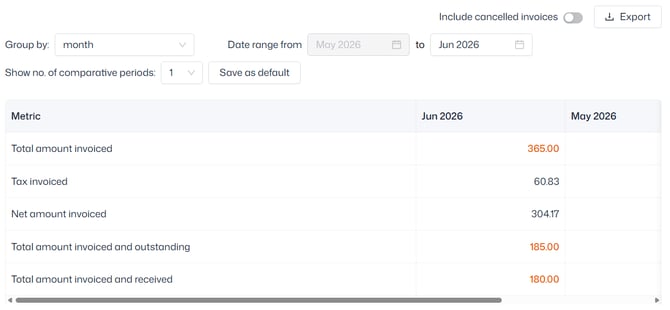
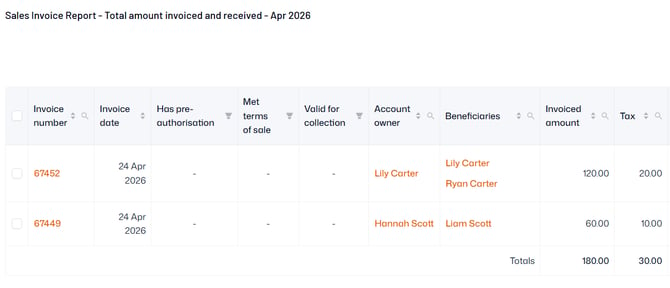
You can click into any of the highlighted figures to view further data for each invoice raised that month, and select users to perform the following actions:
- Export to Excel
- Send an email or SMS to the account owner(s)
- Collect payment for the invoice(s)
- Cancel the invoice(s)
- Record offline payment(s)
Tip: Invoices are managed in Sales admin. If you'd like to learn more about managing invoices, view our full guide here.