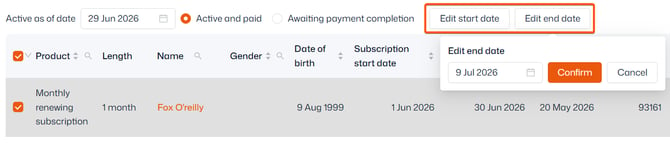
This report can be found in Reporting > Operational reports > Subscriptions. You can choose to view either ‘Active and paid’ (all that have reconciled the invoice for their subscription) or ‘Awaiting payment completion’ (those who have not).
Tip: Use the ‘Active as of date’ field to manage past or future subscriptions.
Editing start and end dates
Important: Editing subscription dates should not be used to manage renewals of your subscriptions. Subscription settings should always be managed under your product management section.
To edit the start or end date of a contact’s subscription, select their subscription with the checkbox and use the ‘Edit start date’ and ‘Edit end date’ buttons.