
Unsubscribing from marketing and promotional emails:
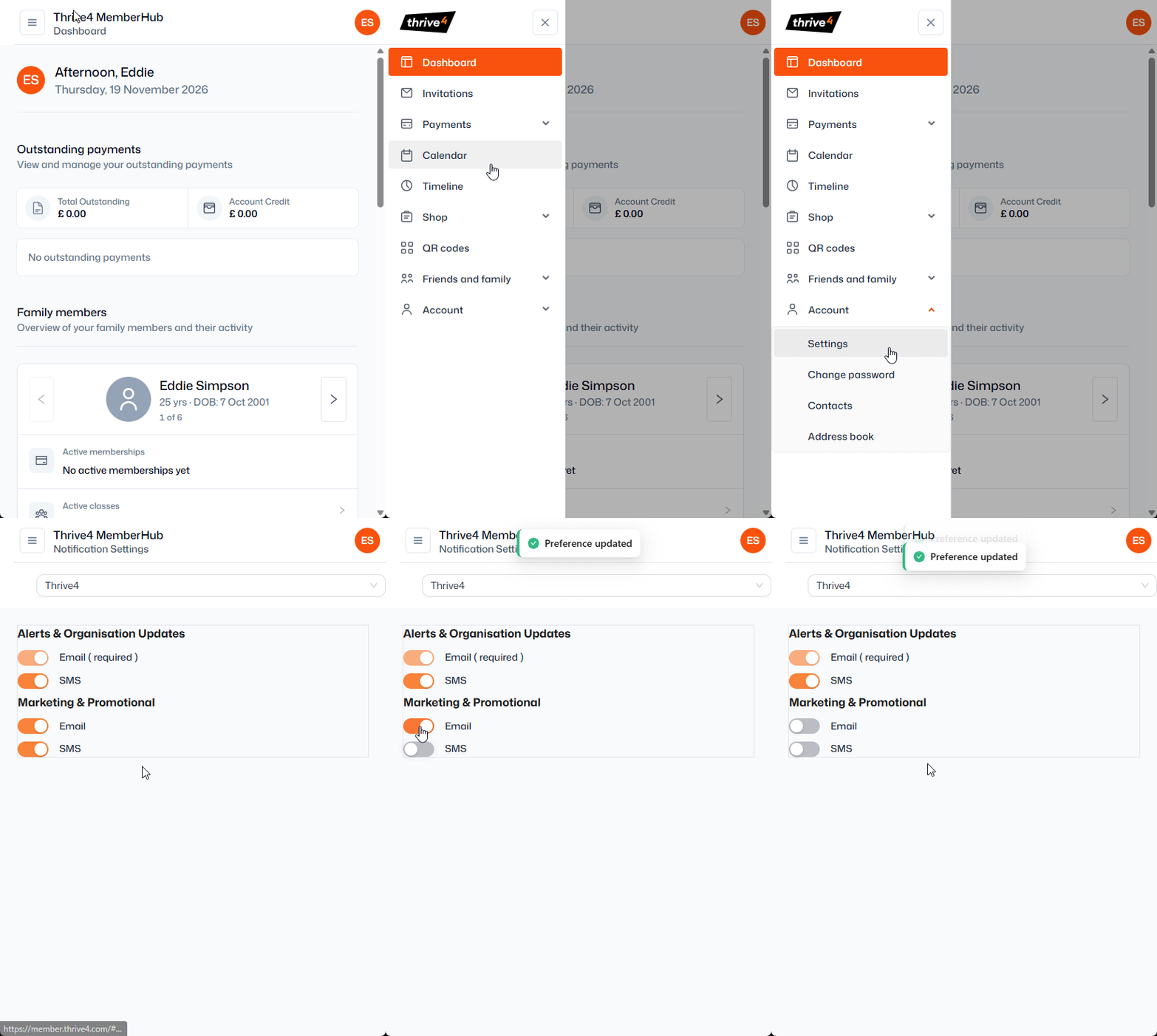
- Login to the Thrive4 MemberHub app or online portal
- In the left menu, navigate to Account > Settings > Notification Settings
- If you're linked to more than one organisation through Thrive4, use the dropdown to choose which preferences you're changing
- Use the toggles under 'Marketing and Promotional' to stop receiving messages by Email and/or SMS
- Please note this will only stop delivery of messages tagged as promotions by the organisation
Unsubscribing from all communications:
Non-promotional messages, such as reminders, booking confirmations, and updates cannot be fully unsubscribed from, but you can use the toggle to opt out of SMS messages.
If you/a linked friend or family member is no longer part of an organisation that continues to contact you, please contact them directly to request you are removed from their books - this cannot be done by the Thrive4 support team.