
Steps:
- Login to the Thrive4 MemberHub app or online portal
- Click/tap the name of the contact whose progress you wish to view
- Alternatively, locate them within ‘Friends and family’
- Open ‘Learning’
- Select the relevant organisation and development programme from the dropdowns
Note: If you cannot see a development programme listed, it means that you or your family members are not currently enrolled in a class that is linked to a development programme.
- Then select a level (there may be several levels depending on how the organisation uses development programmes)
- Once you’ve selected a level, you’ll be able to see progress of each skill within the level
- Cross (red) - Failed skill
- Play (blue) - Working on skill
- Star (orange) - Achieved skill
- Tick (green) - Completed skill
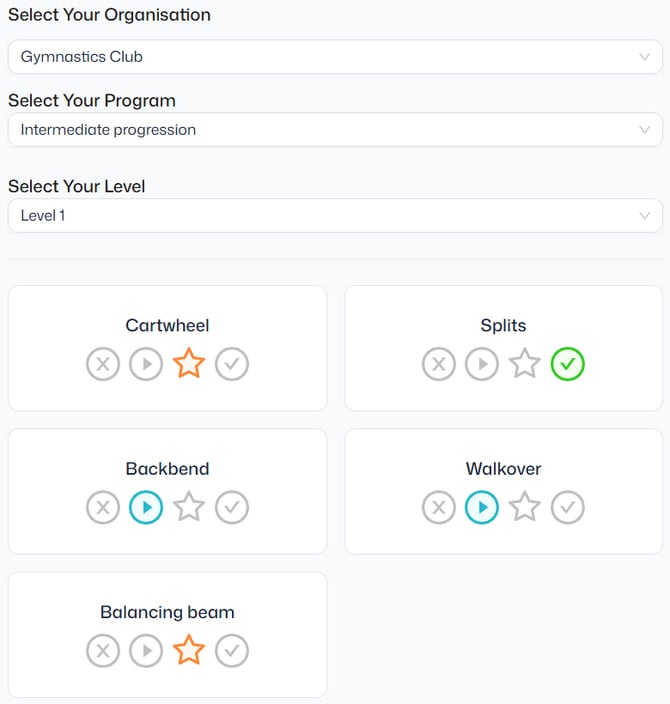
Note: These statuses are generic and may not reflect other terminology used by the organisation. If you are unsure what a status means, we recommend contacting the organisation directly.