Check the status of your payment provider
- Navigate to Organisation setup > Payment providers and select the relevant provider
- Check the ‘Active’ toggle is on
- If there are any issues, it will display here and you can follow the instructions to solve the problem
- A green tick as below means the payment provider account is verified and ready for use:

Check your product settings
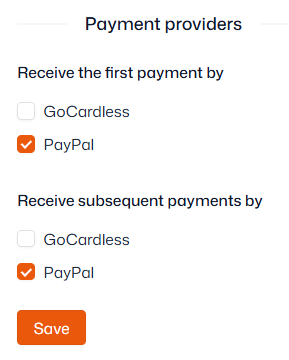
If the payment provider is active and verified (see above), then the payment provider(s) may not be enabled against your product(s):
- Navigate to Product management > Products
- Select a product (group) from the left sidebar
- Open the ‘Billing’/’Billing and renewal’ tab
- Ensure the correct payment provider is ticked (may need to be ticked twice)
- Click ‘Save’