
When managing email templates, you'll have a choice between ‘system’ and ‘organisation’ templates. You can switch between the two options using the toggle:
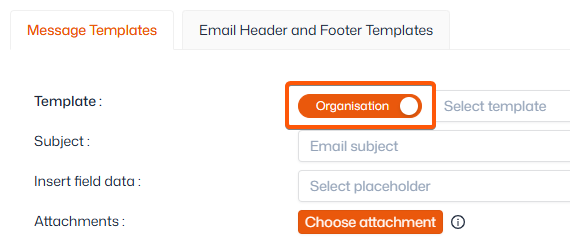
System templates
System templates are fixed templates that are, by default, connected to a notification. For example, an email to notify an admin of a payment failure, or confirmation of a booking back to a customer.
New system templates cannot be created, but most can be edited. Some are locked and cannot be edited to protect their data or functionality.
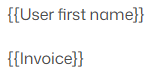
Important: We strongly advise against removing or editing existing placeholders within system templates. Editing these can result in information, such as personalised links, being removed or corrupted.
Examples of placeholders are:
Note: When browsing system templates, you may see some with the text "This is a blank message." These templates are not currently active in the system and will not be sent out unless manually done so.
Organisation Templates
Organisation templates are custom templates written by your admins. These can be used for any purpose, such as announcing a new event or general communication with users. You can create as many as you need.
We recommend making an organisation template first for most contact communication. This makes it easy to reuse or resend that message later if you wish, saving you time rewriting the email.
Additional resources
Both system, and organisation templates can be used for notifications. For more information on managing notifications, view our full article here.
For guidance creating and editing templates, click here.
For help sending emails, click here.